
OnAir Studio MultistreamerOne video to every channel at once
The Multistreamer publishes one finished video to your YouTube channels, Facebook Pages, Vimeo, your own video website and your 24/7 TV channel at the same time - with the right title, text, tags and thumbnail for each.
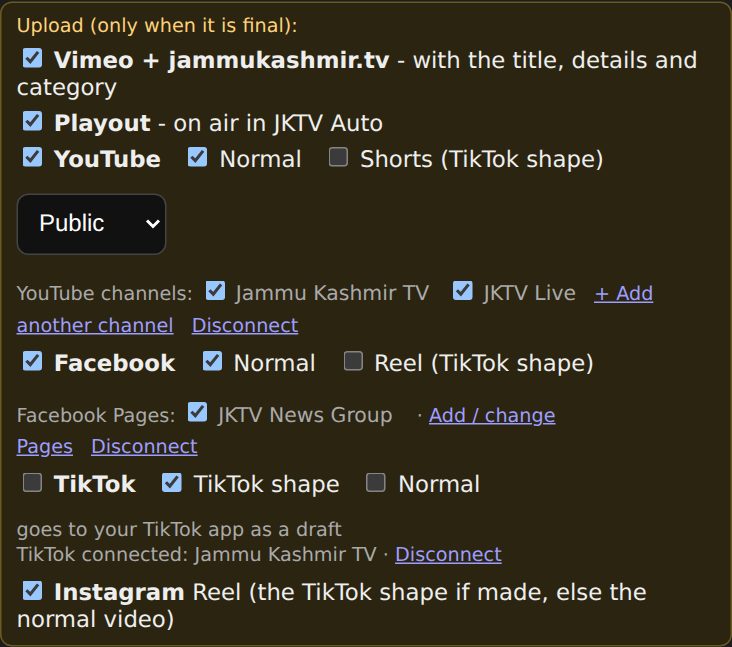
What you get
One upload, every channel
Upload a finished video once - it goes to your YouTube channels, Facebook Pages, Vimeo, your own video website and your TV channel at the same time.
The right text for every platform
The AI suggests the title, an English title, the description and tags; your fixed text goes under every video.
See where it is done
One status per channel, so you know at once when each one is published - or what went wrong.
What it does
Live = running at JKTV today. Coming = built or planned, not live yet.
Where it goes
- LiveSeveral YouTube channels
- LiveFacebook Pages
- LiveVimeo and your own video website (OnAir Play)
- LiveOnAir Playout - your 24/7 TV channel
- LiveTikTok, as a draft in your TikTok app
- ComingInstagram Reels
- ComingX
Texts
- LiveAI title, English title, description and tags
- LiveYour fixed text under every video
- LiveUrdu with correct right-to-left text
Video
- LiveUpload big files (up to 4 GB) in the browser
- LiveWide and vertical videos go to the right places
- LiveYour thumbnail on YouTube, Facebook and your website
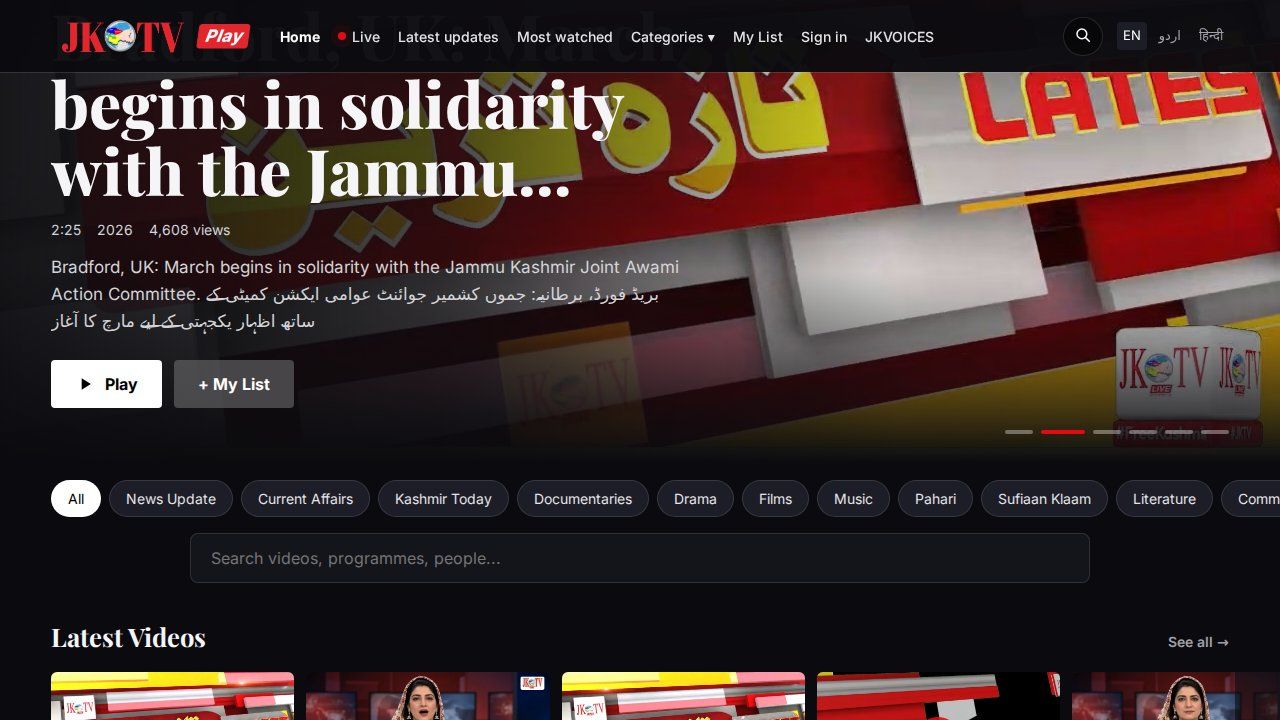
Screenshots from JKTV

How it works
- 1Upload the videoDrop the finished MP4 into the page - also big files.
- 2Check the textsThe AI suggests title, description and tags; change what you like.
- 3Send to allTick the channels and press Send - each one shows when it is done.
Running every day
JKTV publishes its reports with the Multistreamer to YouTube, Facebook, jammukashmir.tv and the TV channel.
Specs
| Video in | MP4 up to 4 GB, wide 16:9 or vertical 9:16 |
|---|---|
| Goes to | YouTube (several channels), Facebook Pages, Vimeo, your website, OnAir Playout; TikTok as draft; Instagram Reels and X coming |
| AI | Title, English title, description and tags (Google Gemini) |
| Login | The same login as OnAir Studio (KCut) |
Compared with other tools
| OnAir Studio Multistreamer | Social media schedulers (e.g. Buffer, Hootsuite, Later) | Live multistreaming (e.g. Restream) | |
|---|---|---|---|
| One finished video to YouTube, Facebook and more at once | Yes | Yes | Partly |
| Straight onto your own 24/7 TV channel | Yes | No | Partly |
| Onto your own video website | Yes | No | No |
| AI title, description and tags - also in Urdu | Yes | Partly | Varies |
| Made for news: fixed text, English title next to Urdu | Yes | No | No |
| Runs on your own server | Yes | No | No |
| Calendar and queue to plan posts | No | Yes | Partly |
| Analytics and reports | No | Yes | Yes |
Compared by category on 5 November 2026. Features of other tools change - check their own websites.
Questions
Is it like Buffer?
Partly. Buffer, Hootsuite and Later plan posts for many social networks. The Multistreamer publishes one finished news video at once to your channels - and also to your own TV channel and your own video website, which those tools cannot do.
Can I schedule a video for later?
Not yet - it publishes now. News bulletins made in OnAir Studio can be held and released later.
Does it post to TikTok and Instagram?
TikTok: yes, as a draft in your TikTok app - add a sound and post. Instagram Reels is being connected.
Ask for a quote
Tell us about your channel or organisation. We reply with a price and a free demo.