
OnAir StudioMake news videos with AI
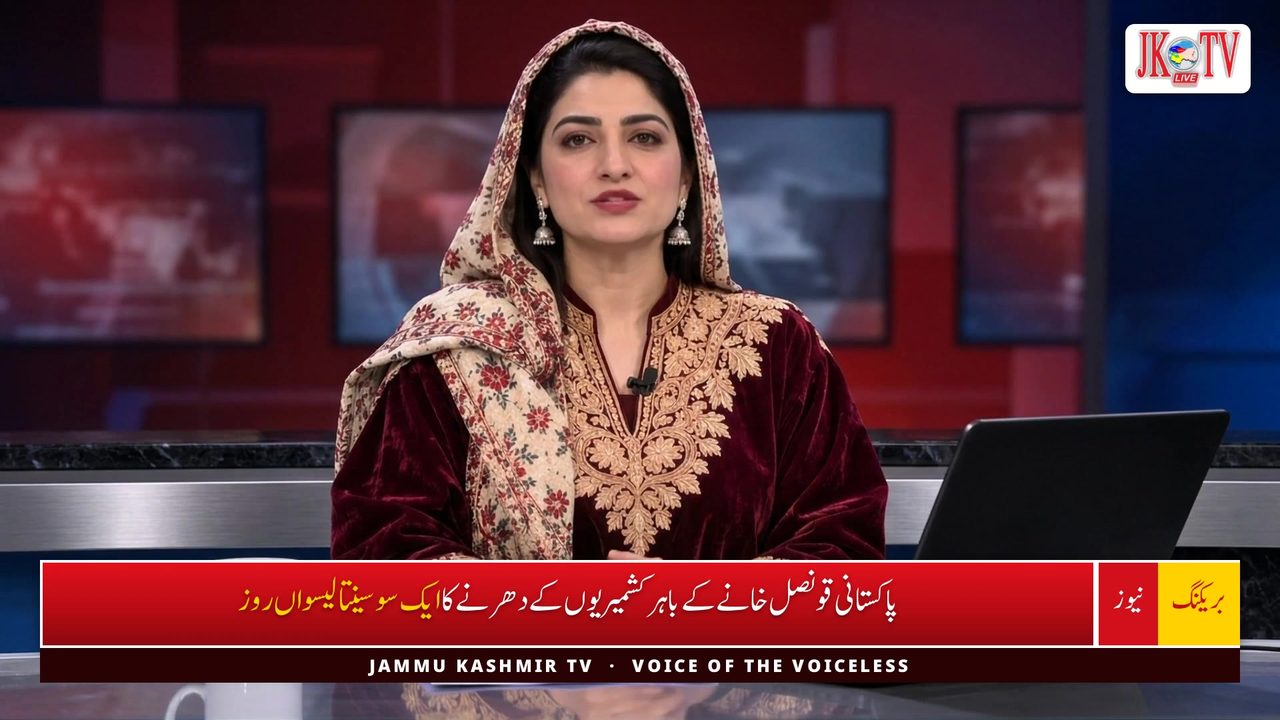
OnAir Studio turns a news text into a finished news video. An AI newscaster reads it at a studio desk, the AI writes the headlines, title and tags, makes the thumbnail and publishes the video to all your channels at once.
What you get
A news video in minutes, not hours
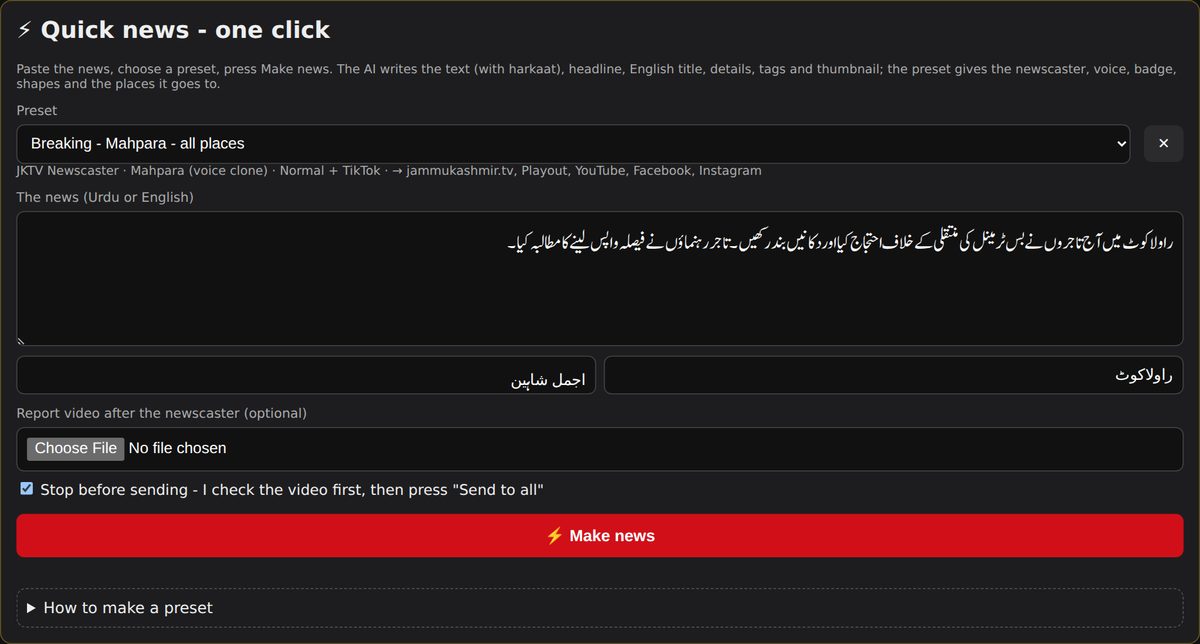
Paste the news, choose a preset and press one button: script, headline, presenter, thumbnail and upload are done for you.
Your newscaster, your voice
Your own presenter at a studio desk reads the news with a natural voice - also in Urdu, and even with your own cloned voice.
Published everywhere at once
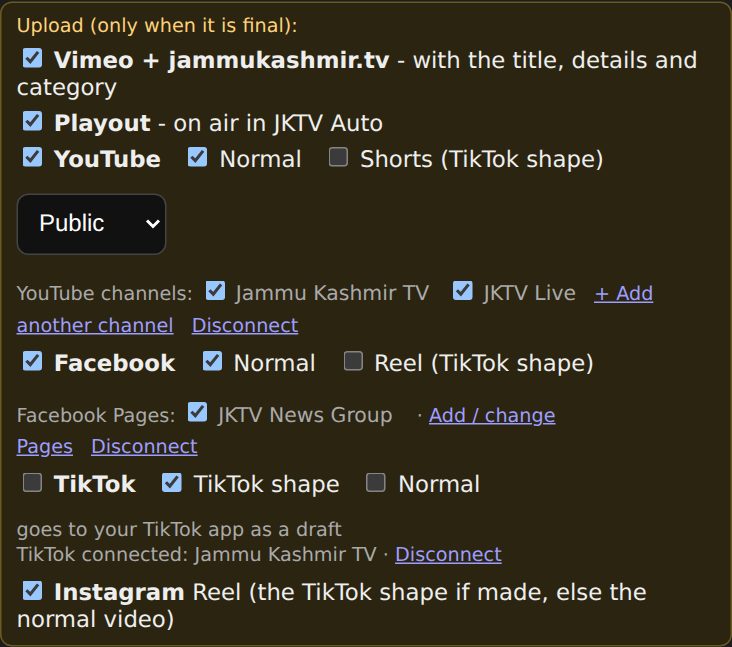
One "Send" puts the video on your YouTube channels, Facebook Pages, Vimeo, your website and your TV channel.
What it does
Live = running at JKTV today. Coming = built or planned, not live yet.
AI writing
- LiveAny report becomes a news script, three headlines and an English title
- LiveDetails and tags written to match the news
- LiveUrdu gets harkaat (vowel marks) so it is read correctly
- LiveSaved reporters, cities and fixed texts
AI newscaster
- LiveYour own presenter at a studio desk
- LiveNatural voices, including a cloned voice
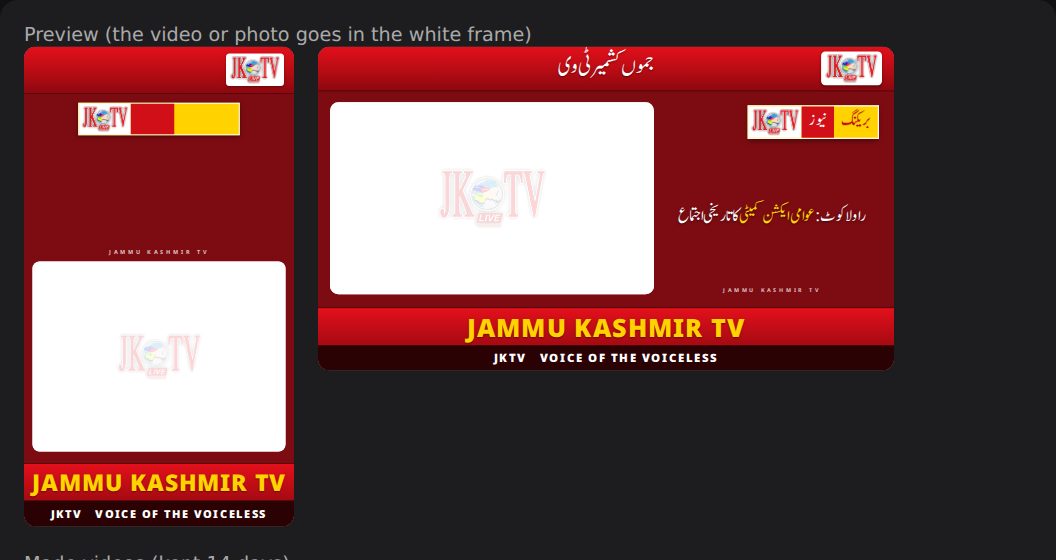
- LiveLower third, badges, opening and end promos in your look
- LiveWide 16:9 for TV and vertical 9:16 for Shorts and Reels
Thumbnails
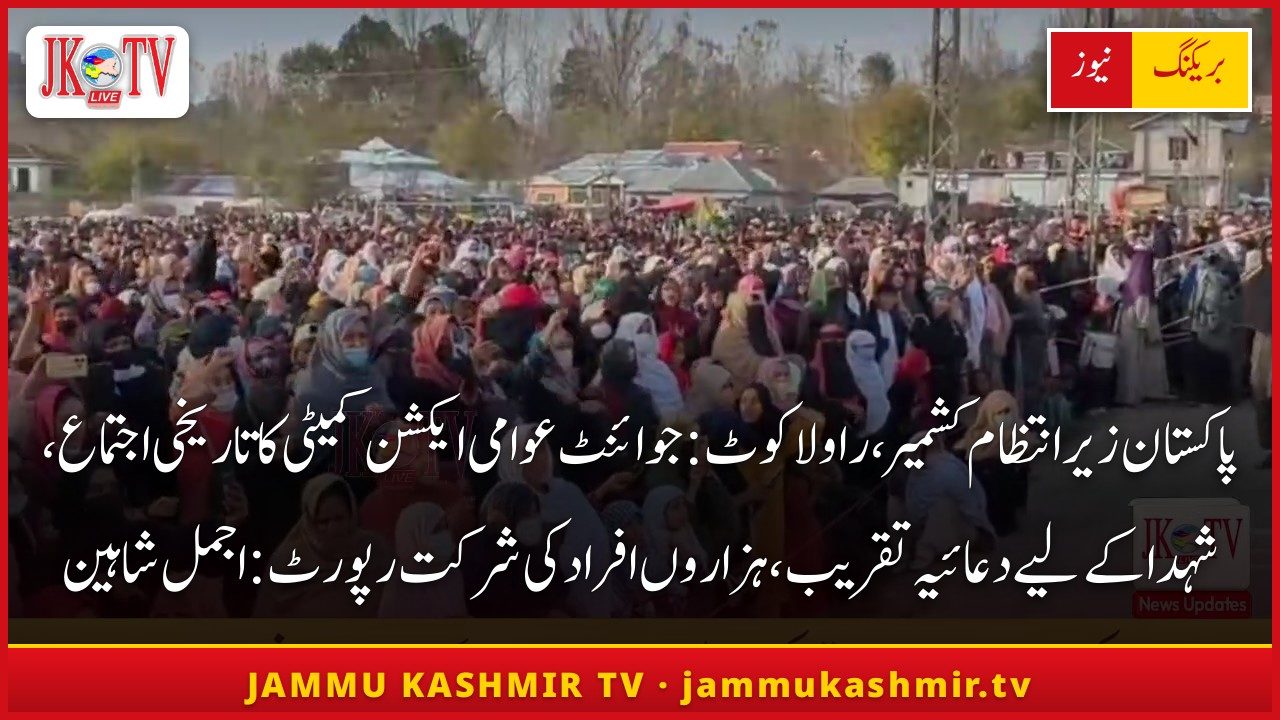
- LiveThree posters from the video itself, with your headline and logo
- LivePick one - or use your own picture
- LiveThe chosen thumbnail goes to YouTube, Facebook and your website
Multistreamer
- LiveSeveral YouTube channels and Facebook Pages
- LiveVimeo and your own video website
- LiveYour TV playout (OnAir Playout)
- LiveTikTok (posted as a draft)
- ComingInstagram Reels
For teams
- LiveQuick news: presets for one-click bulletins
- LiveHold a bulletin and release it later
- LiveEditors and admins with their own logins
- LiveA full video editor in the browser for everything else
Screenshots from JKTV

How it works
- 1Paste the newsAny text in any language - a report, a message, an article.
- 2OnAir Studio makes the videoThe AI writes the script and titles, your newscaster reads it, Studio adds your brand and the thumbnail.
- 3Check and sendWatch it, press "Send to all" - it goes to every channel at once.
Running every day
JKTV makes its daily news videos in OnAir Studio and sends them to YouTube, Facebook, Instagram and jammukashmir.tv.
Specs
| Input | News text in any language, or your own report video |
|---|---|
| Output | MP4 1080p: wide 1920x1080 and vertical 1080x1920 |
| Languages | Urdu, Hindi, Punjabi, Somali, Swedish, Danish, Dari, English and more on request |
| Publishes to | YouTube (several channels), Facebook Pages, Vimeo, your website, OnAir Playout; TikTok as draft; Instagram Reels coming |
| AI services | Google Gemini for writing; ElevenLabs or UpliftAI for voices; HeyGen or Hedra for the presenter - only the text and voice are sent |
| Runs on | Your server or our hosting; used in any browser |
Questions
Can the newscaster use my own face and voice?
Yes. We set up your own presenter, and the voice can be a natural voice or a clone of your own voice.
Does it post to TikTok and Instagram automatically?
TikTok: yes, the video arrives as a draft in your TikTok app, ready to post. Instagram Reels is being connected.
Can an editor check before it is published?
Yes. Every video can be watched before "Send", and a bulletin can be held and released later.
Where is the video made?
On the server where OnAir Studio runs - your own or ours. Only the text and voice go to the AI services for writing, voice and presenter.
Does it work with my TV channel?
Yes. Finished videos go straight into OnAir Playout and onto your video website.
Ask for a quote
Tell us about your channel or organisation. We reply with a price and a free demo.